
Entering
Entering
zero-gravity zone...
zero-gravity zone...
Improving Efficiency With AI Voice Control
Role
Lead UI/UX Designer
Team
4 Designers
4 Engineers
1 Project Manager
Timeline
October 2024 - Present
Skills
User Flow
Wireframe
Design System
Interaction Design
Overview
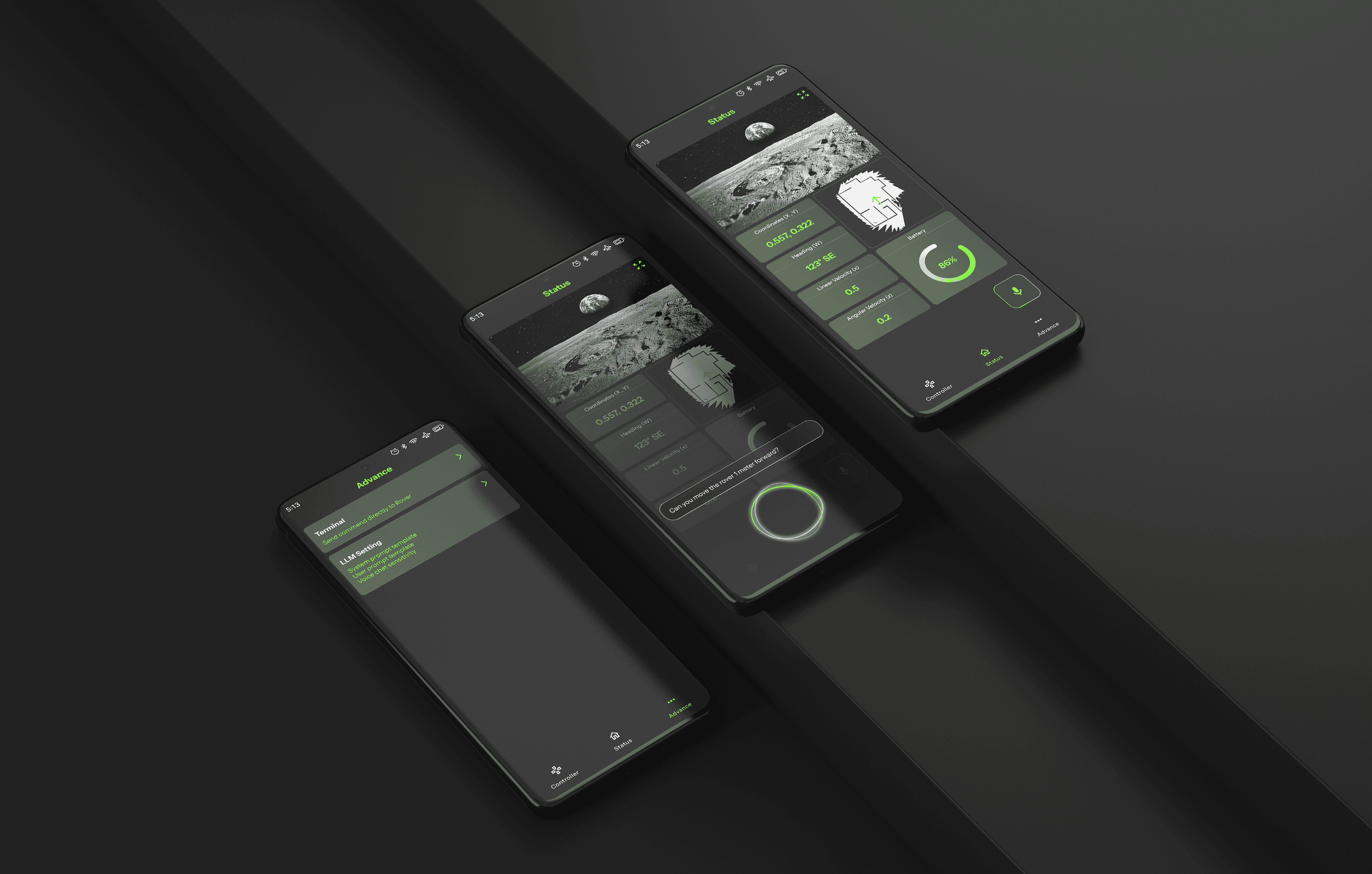
Ursa is an Android app that enables hands-free rover control using a functional-calling LLM, designed for astronauts and beyond. As the design lead, I developed human-robot interaction with AI integration from 0 to 1, in collaboration with Qualcomm and NASA.
Business
Goals
I took the lead in discussions with stakeholders and defined business goals that aligned with Qualcomm and NASA’s strategic interests.
02. Enhance Astronaut Efficiency
Address NASA’s operational challenges. Make astronaut tasks more intuitive and efficient.
03. Beyond Space
Expanding LLM-driven interfaces to robotics, defense, and emergency response
01. AI at the Edge
Align with Qualcomm's AI and hardware strategy. Showcase real-world functional AI on mobile devices.
Our Users
Our target audience insists of two user groups: technical and non-technical users. After analyzing insights from our research, I identified each group’s user needs.
01 Hands-Free Operation
Innovative human-robot interaction that accommodates bulky suits or constrained environments.
02 Precision & Reliability
Accurate execution of commands, especially in high-stakes scenarios.
01 Ease of Use
Clear and straightforward interface for operation with minimal learning curve.
02 Feedback & Guidance
Real-time system updates and feedback for reassurance that commands are executed.
Design
Principles
As the design lead, I established three key design principles that guided our design process, drawing directly from our research insights.
Intuitive & Inclusive
Enable all users to control the rover with minimal learning time
Hands-Free Interactions
Allow users to issue voice commands with 0 screen clicks
Reliability & Trust
Prevent errors and build trust by ensuring 100% user confirmation
Ideation
After analyzing insights from further research on voice chat and potential user needs, I found that
💡 Voice commands are not always reliable
💡 Technical users want more control
Multi-layered Interaction model
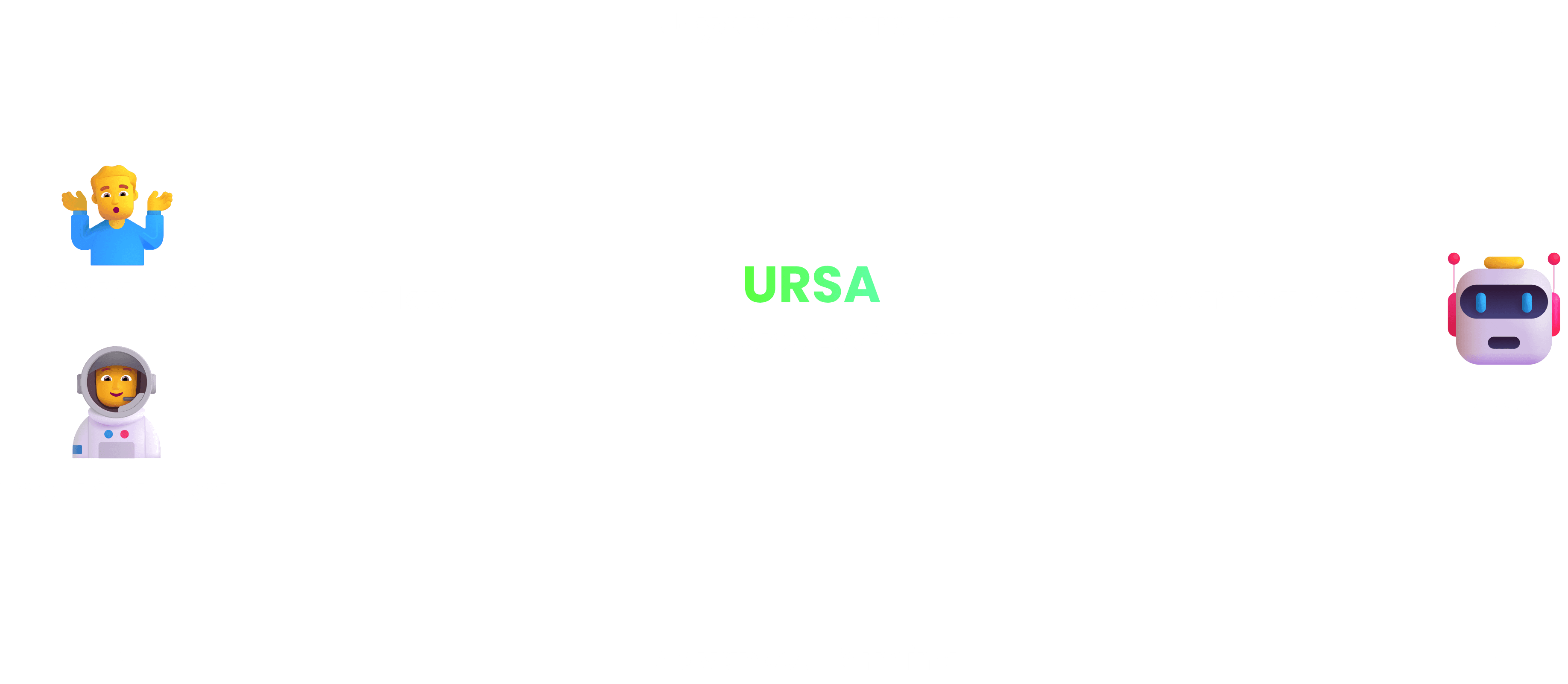
To address these challenges and make Ursa truly inclusive, I designed a multi-layered interaction model:
💡 Joystick Controller & Voice Chat serve as default options for general users, offering intuitive, hands-free control without requiring technical expertise.
💡 Advanced Terminal provides technical users with the ability to input direct commands and perform precise debugging, ensuring flexibility and reliability for all user types.
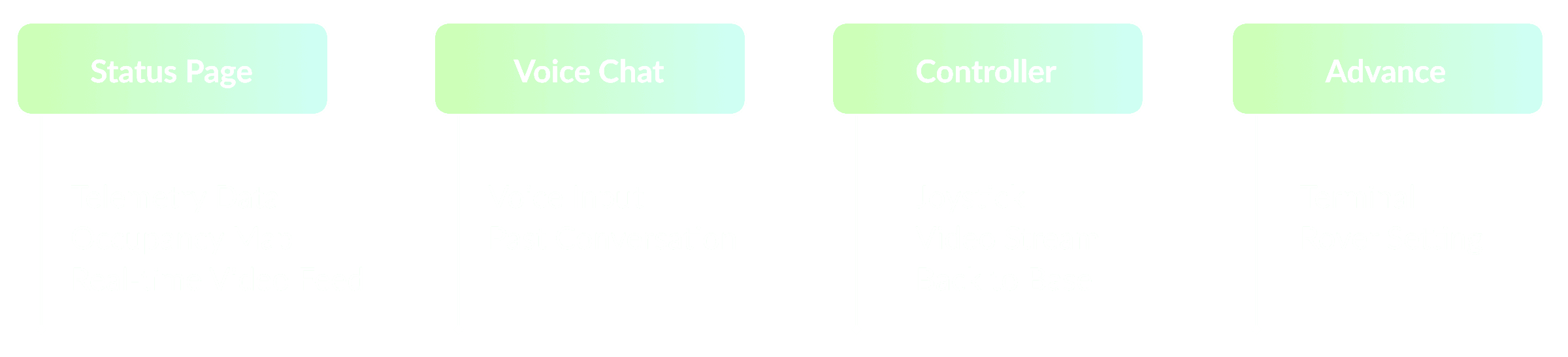
I collaborated closely with engineers to identify the data and information they could provide, with a particular focus on telemetry data display. I then structured the foundational app layout, creating a blueprint that guided the design team throughout the process.
User
Flow
However, we knew that voice recognition isn’t 100% accurate, and in high-stakes situations, a misinterpreted command could have serious consequences.
How might we build trust?
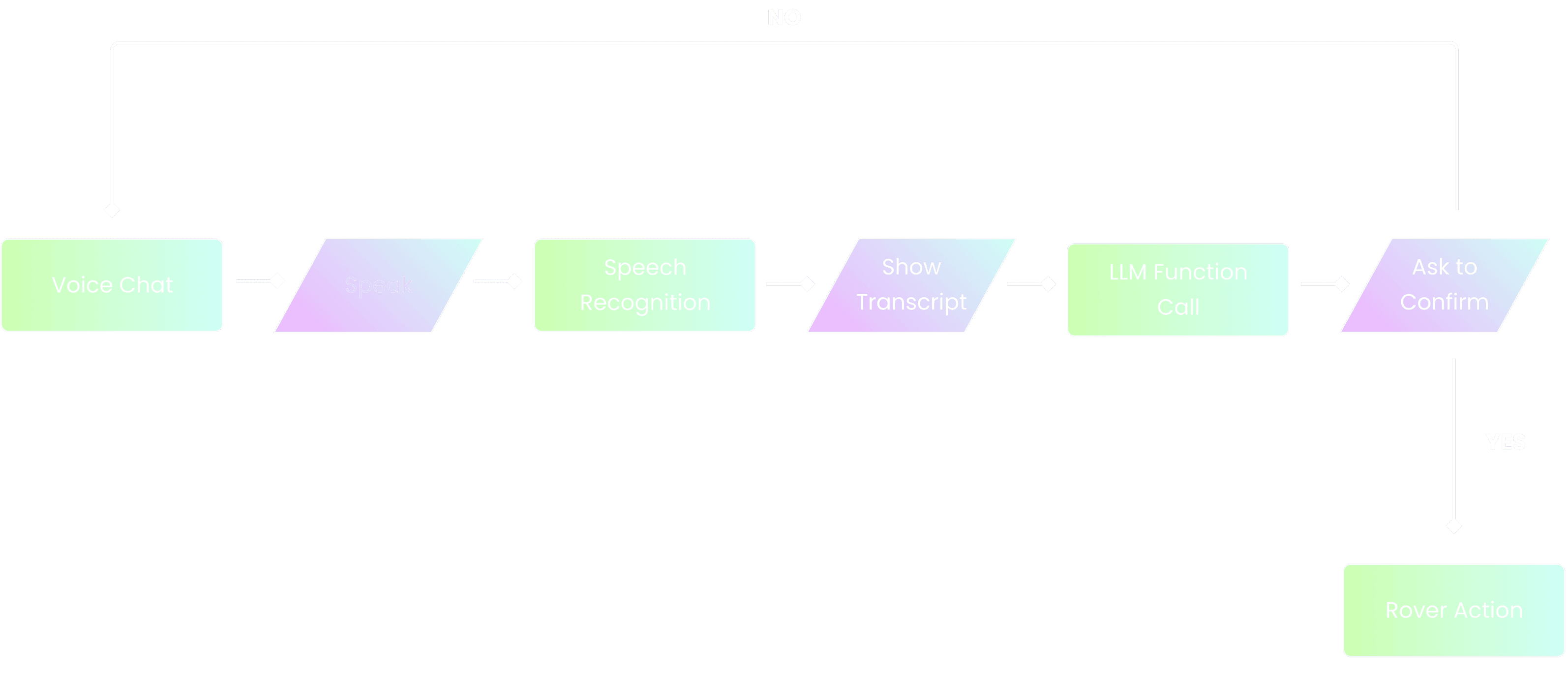
User Flow
I designed a user flow for the Voice Interaction to ensure reliability.
🚀 Users are always in control. Nothing happens unless they verify it.
🚀 Errors are caught early. If the AI misinterprets a command, the user can correct it before execution.
🚀 It builds trust in the system. Users feel reassured that they won’t accidentally issue incorrect commands.
Iteration
Initially, our stakeholders at Qualcomm and PM wanted voice interaction to be the core experience, so I designed a dedicated voice chat page as the landing screen.
However, I questioned: Does a full-page voice chat make sense for how our users actually use voice commands?
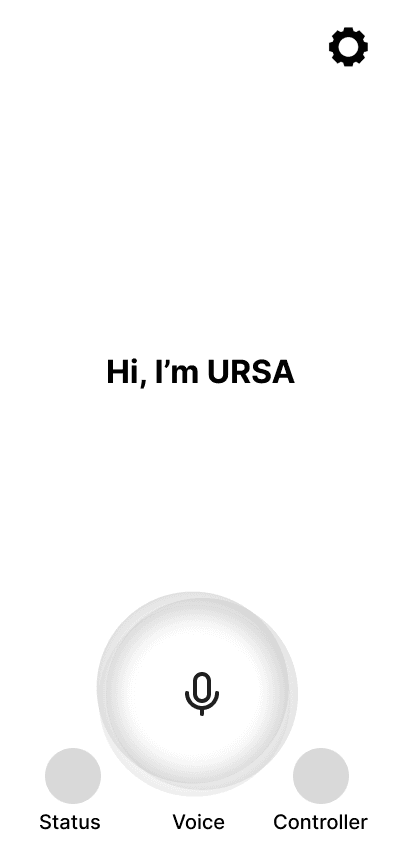
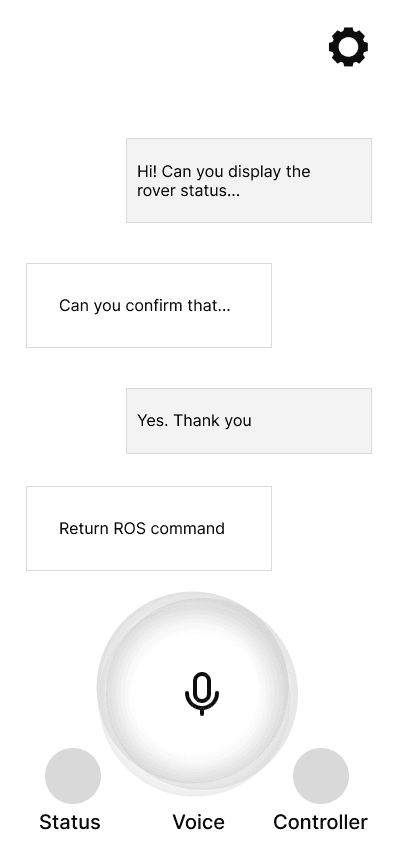
Dedicated Voice Chat Page
✅ A focused space for viewing past responses
✅ Aligns with stakeholder goal
❌ Requires an extra step for users performing other actions first
❌ Interrupts multitasking
❌ Not ideal for contextual use cases
I conducted usability testing and analyzed the insights. I found that users typically don’t want to “go” somewhere just to talk to AI—they expect voice assistance to be seamless and available anywhere in the app. Therefore, I landed on the floating chat bubble as the primary interaction model.
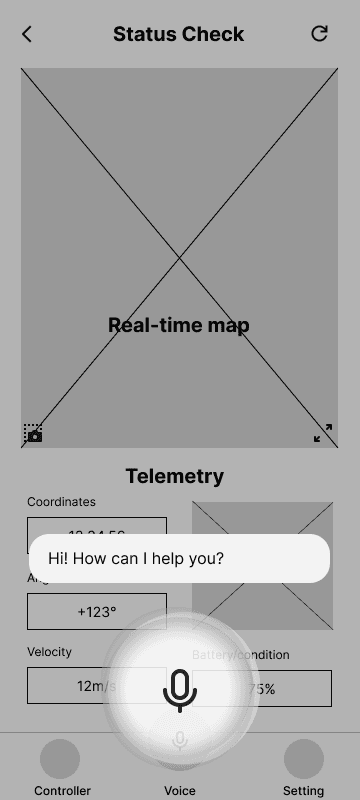
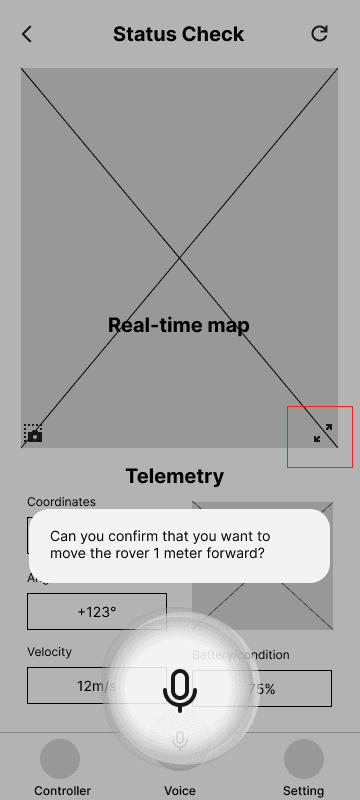
Floating Chat Bubble
✅ More Contextual & Seamless
✅ Truly Hands-Free
✅ Avoids Unnecessary Taps
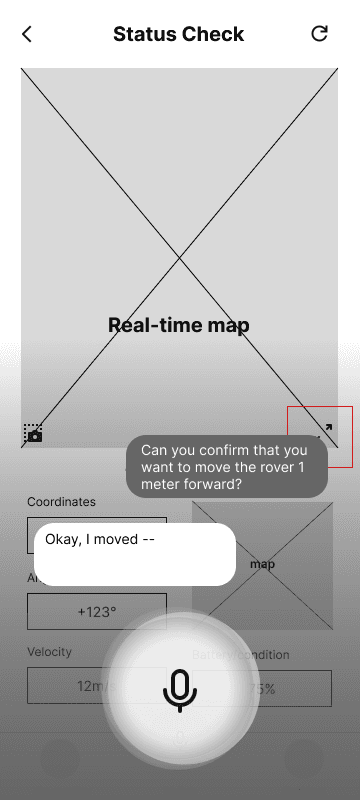
Another key design decision was whether to use a Single Message Display or a Conversational Interface. After weighing the pros and cons, I chose the Single Message Display.
Single Message Display
✅ Mission-Critical Environments Demand Focus
✅ Mimicking Natural Conversational Flow
Conversational Interface
❌ Visual Noise
❌ Slow Down Scanning
Design
System
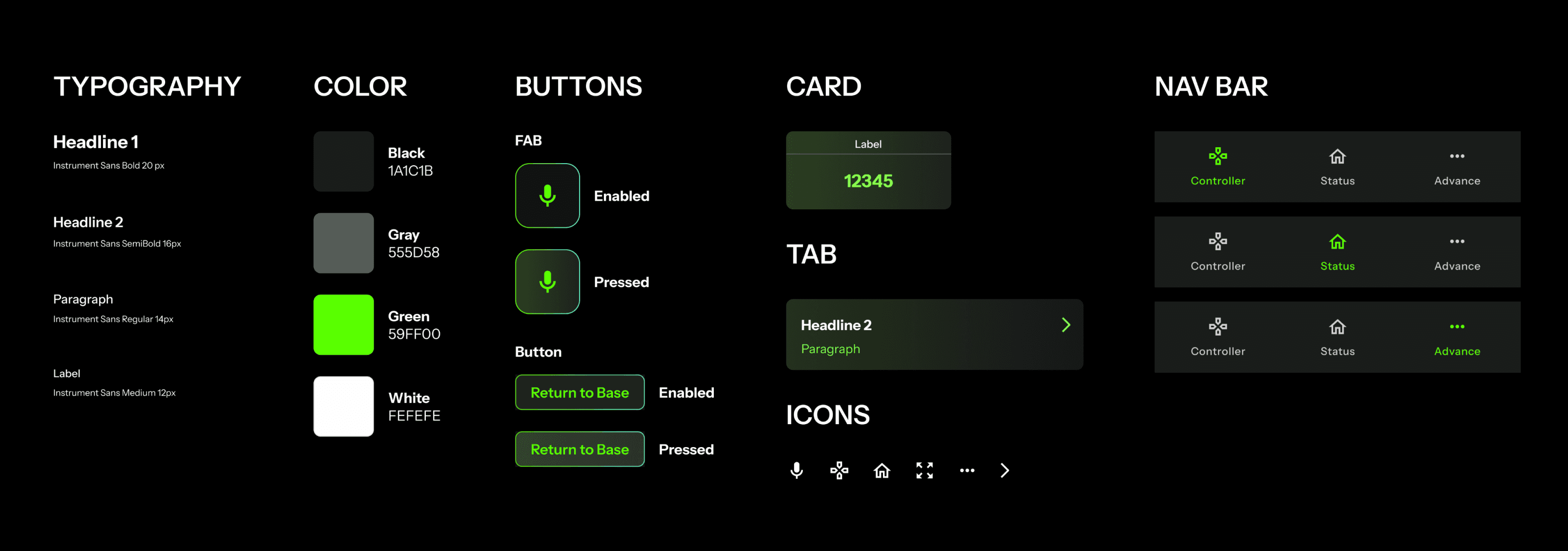
When creating the design system, I valued:
🚀 Visibility is Critical in Space
🚀 Align with Aerospace & Military Standards
Final
Experience
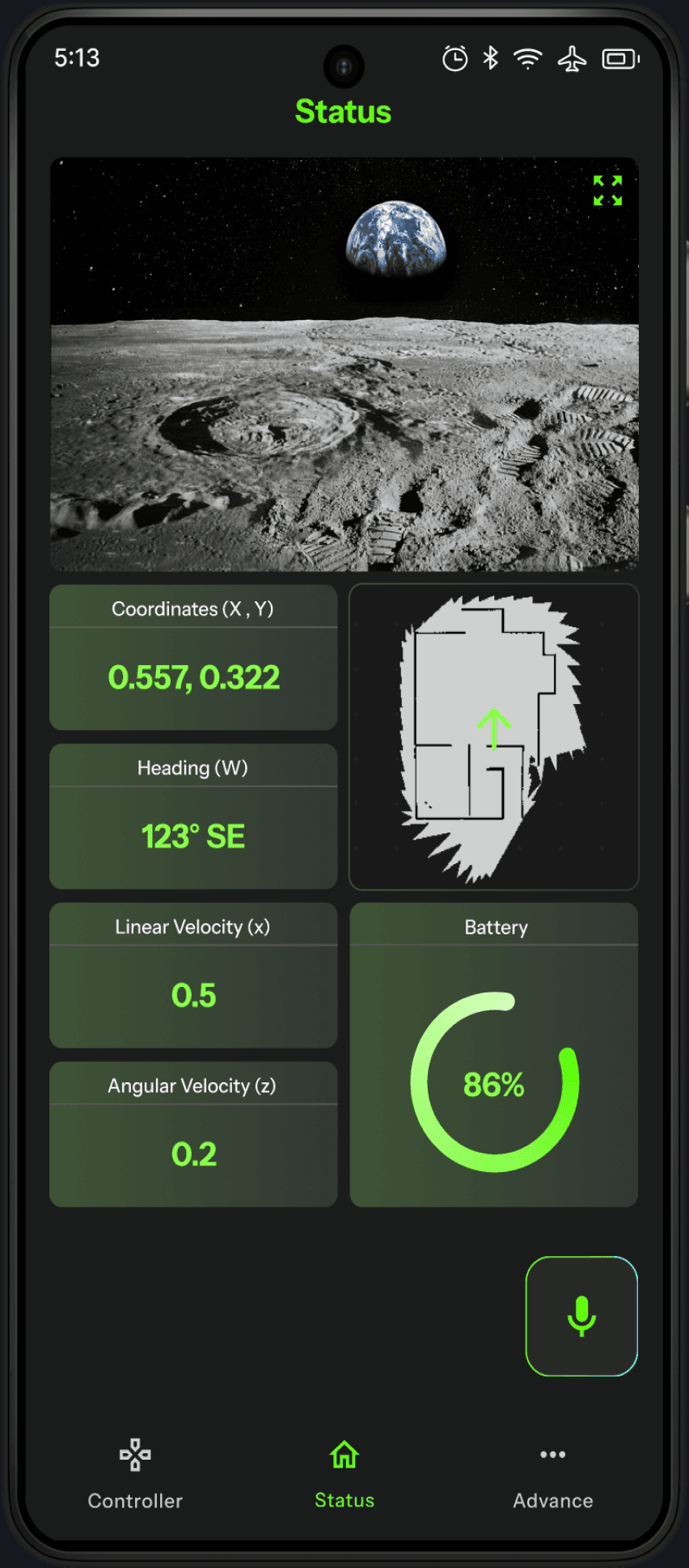
Status Dashboard
The main landing page where users monitor Rover’s Telemetry data and real-time video feed. It ensures astronauts have critical status updates at a glance without unnecessary distractions.
Hands-Free Interactions:
Allow users to issue voice commands with 0 screen click
Users can activate Ursa through voice for seamless interaction, while the FAB provides a fallback when voice recognition is unreliable and supports usability testing.


Advanced Setting: Prevent errors and build trust by ensuring 100% user confirmation
Advance page is designed for technical users who need deeper control of the rover. Provide greater flexibility and precision when voice or joystick inputs are insufficient.
Joystick Control:
Enable all users to control the rover with minimal learning time
Designed for non-technical users, the joystick controller provides an intuitive way to navigate and control the rover with ease.

Next Steps
As the engineering team continues refining the LLM model, Ursa will evolve with expanded functionality and enhanced user experience.
🚀 Integrating More Advanced Functional Calling
🚀 Optimizing Usability Across User Groups
🚀 Scalability Beyond Space Exploration
Takeaways
Balancing Business Goals & User Needs
My initial design aligned closely with stakeholder expectations. However, through in-depth research and a deeper understanding of user needs, I discovered it wasn’t the optimal solution. I iterated on the design to create a balanced approach that addressed both business objectives and user needs, making thoughtful tradeoffs to achieve the best possible outcome.
The Power of Teamwork
As the design lead, I took the initiative to drive the design process from start to finish, ensuring alignment across all stakeholders. I worked closely with engineers to understand technical constraints and possibilities, particularly around the telemetry data and functional-calling LLM capabilities. I also maintained open communication with product managers to balance business priorities and design objectives.
Please check out this project on desktop :)